
NPC connects itself. You just scan the item.
From 2026 every product must be in the National Goods Catalog. With re:Kassa that is no longer your problem — the register finds the code, fills in the data and issues the receipt. No manual registration on nct.kz, no confusion between GTIN and NTIN.
* POS+Cash Register+OFD+NPC

Already using Halyk acquiring? The cash register module is already with you.
re:Kassa is the bank’s official cash register partner on Halyk POS terminals. No need to buy a separate cash register, add a scanner next to it or keep two devices at the checkout.
Learn more- Payment and receipt in one terminal
- Scanning NPC and labelled goods is built into the POS
- One receipt = payment and fiscalization together
Video guides
We show on screen how to turn on NPC and ring up an item.
re:Kassa (Comrun LLP) is the cash register partner of Halyk Bank on thousands of POS terminals across the country.
Three scenarios — and in all of them you simply keep working
- Scenario 1
The item is already in the NPC
You scan the barcode — the name, GTIN and the permanent NTIN code are filled in automatically. The receipt is printed in a second.
- Scenario 2
The item is not in the catalog yet
The register creates a temporary XTIN by itself, so the receipt goes through with no delay — you can register the item card on nct.kz later.
- Scenario 3
You already have a price list
NPC answers what the item is, your price list answers how much it costs and in what units. re:Kassa matches both sources for you.
You don’t adapt to NPC — NPC adapts to the way you already work.
How to enable NPC in the re:Kassa app
Five steps in the re:Kassa app — it takes less than a minute.
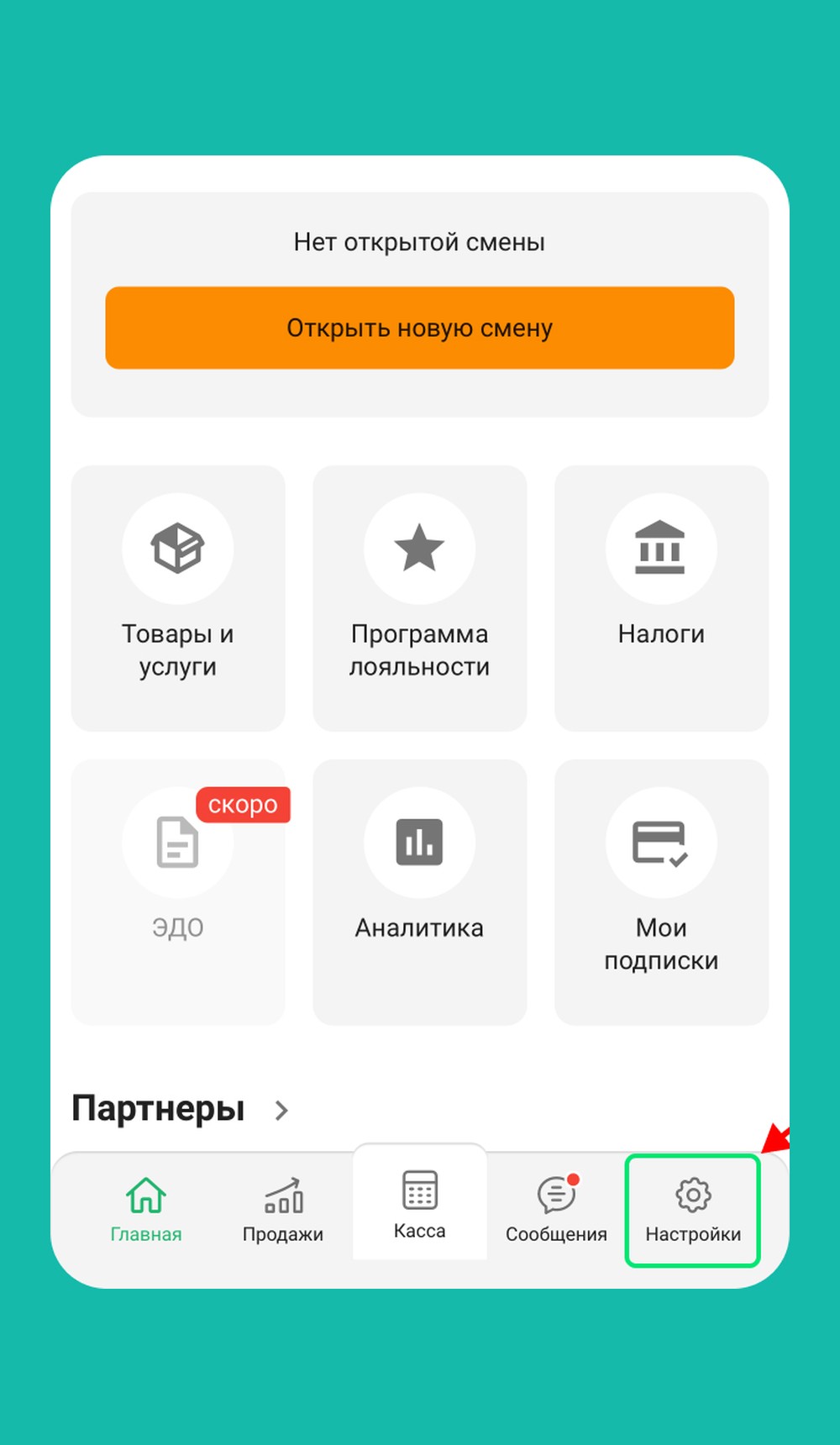 Step 1
Open “Settings”
In the re:Kassa app, open the “Settings” section in the bottom menu.
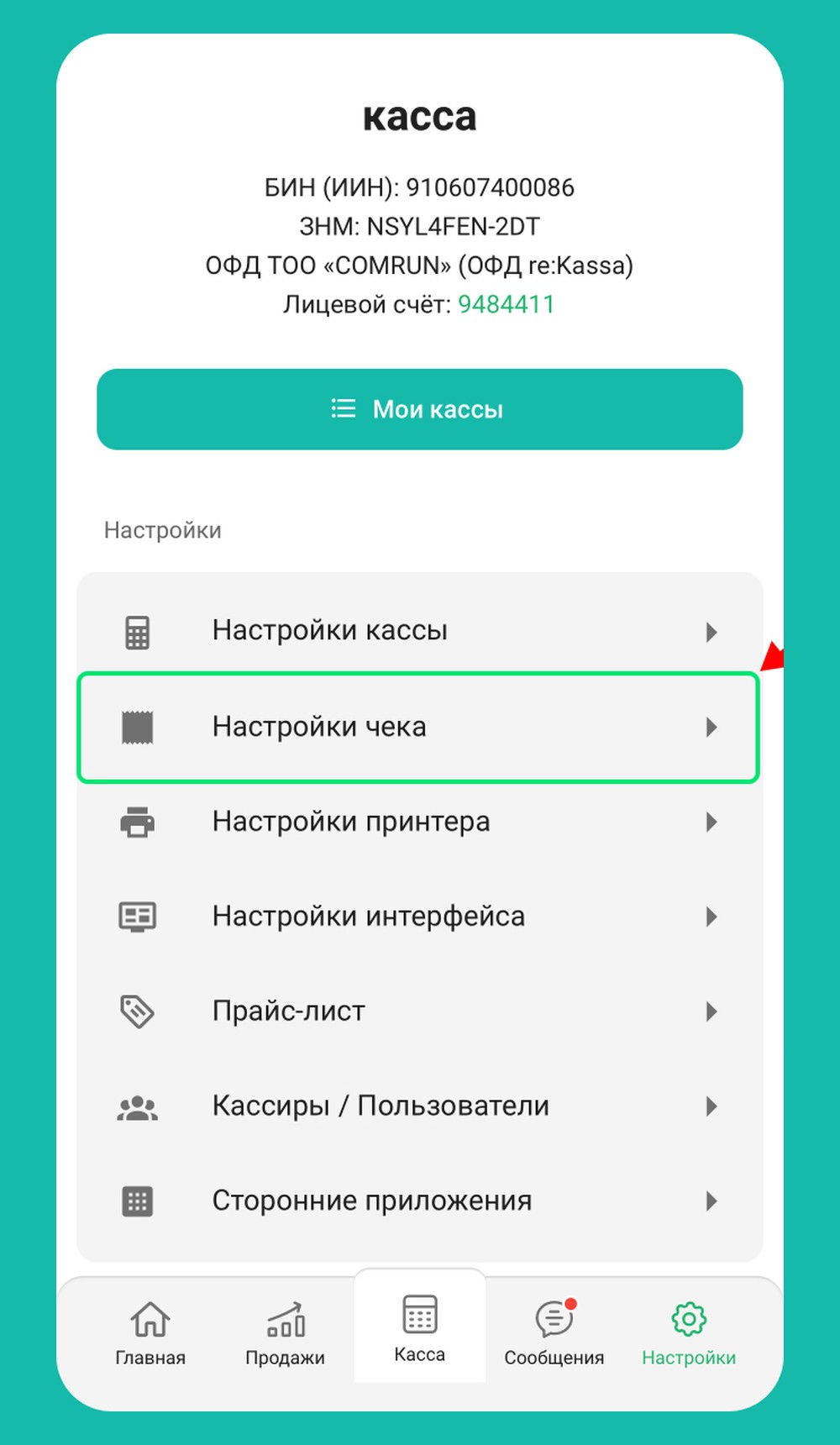 Step 2
Go to “Receipt settings”
In the list of settings, select “Receipt settings”.
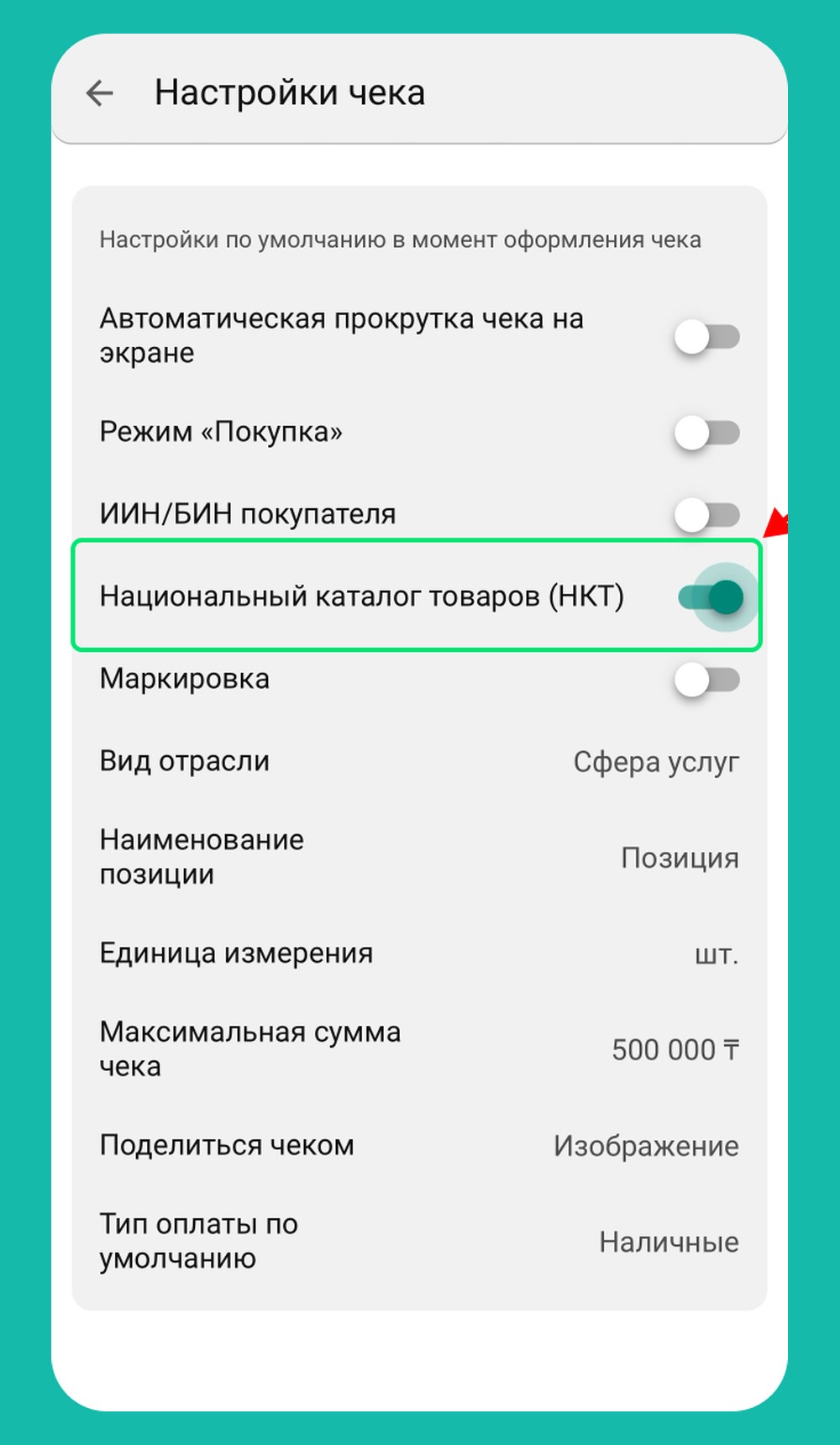 Step 3
Turn on NPC
Find the “National Goods Catalog (NPC)” toggle and switch it on.
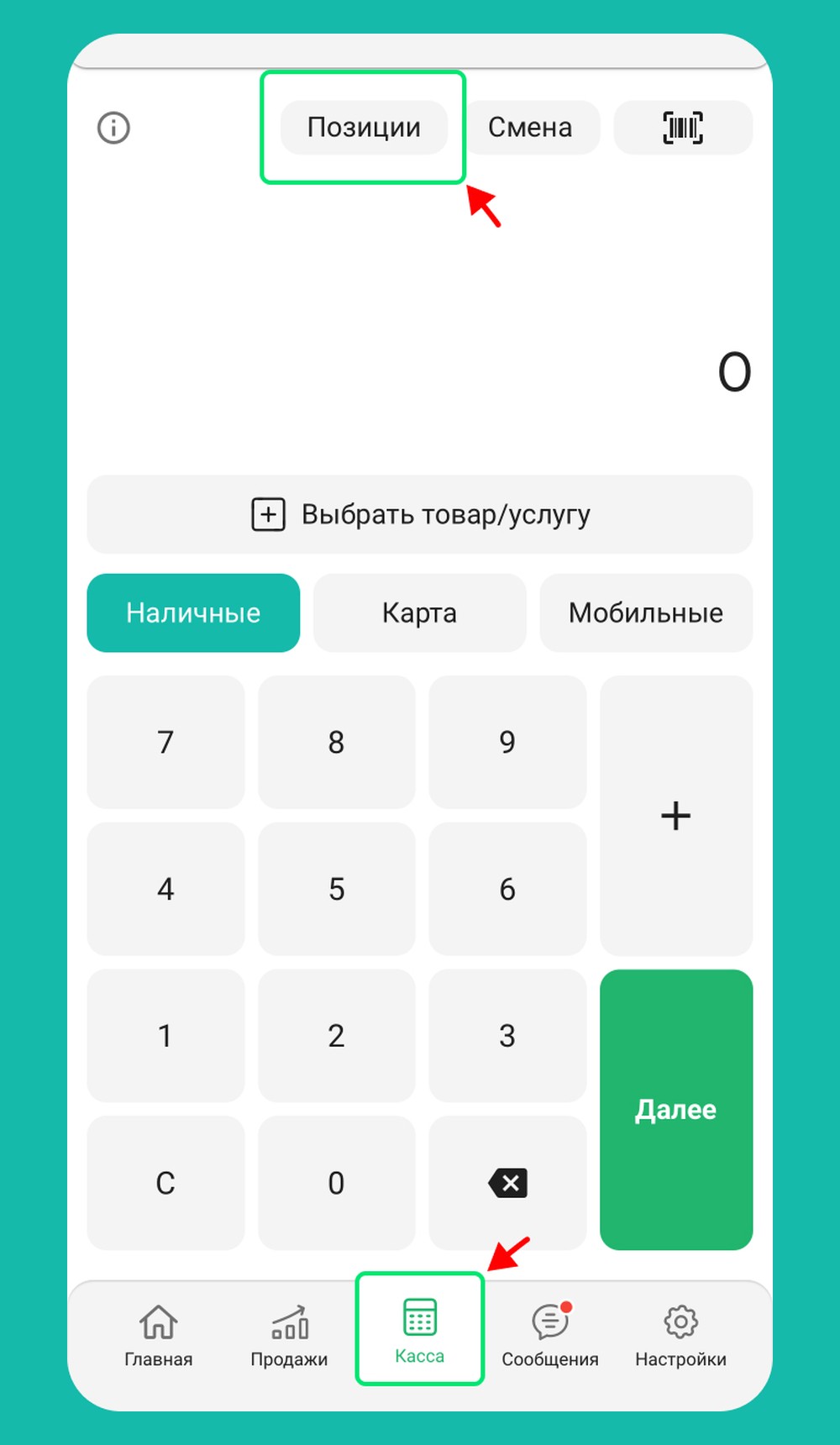 Step 4
Cash register → Items
Open “Cash register” — “Items” and scan the product barcode.
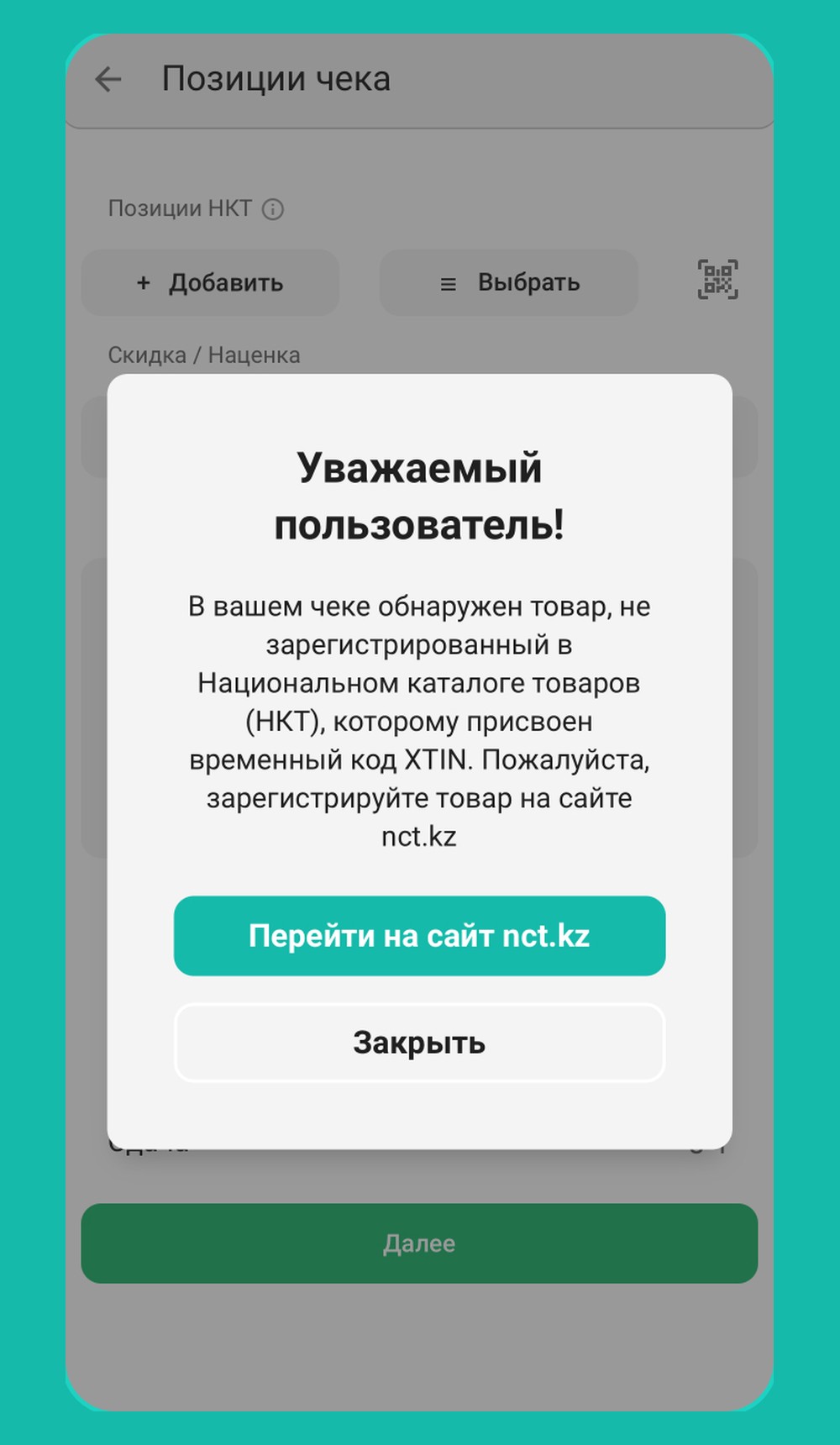 Step 5
Item missing from the catalog?
A window with the “Go to nct.kz” button appears — you can register the item there.
Video guide
We show on screen how to turn on NPC and ring up an item.
How to enable the National Goods Catalog (NPC) in re:Kassa
How NPC works on a POS terminal
How to scan an item
re:Kassa app on your phone
Scan the item barcode with your phone camera: when ringing up the item, tap the barcode icon in the re:Kassa app.
Halyk POS
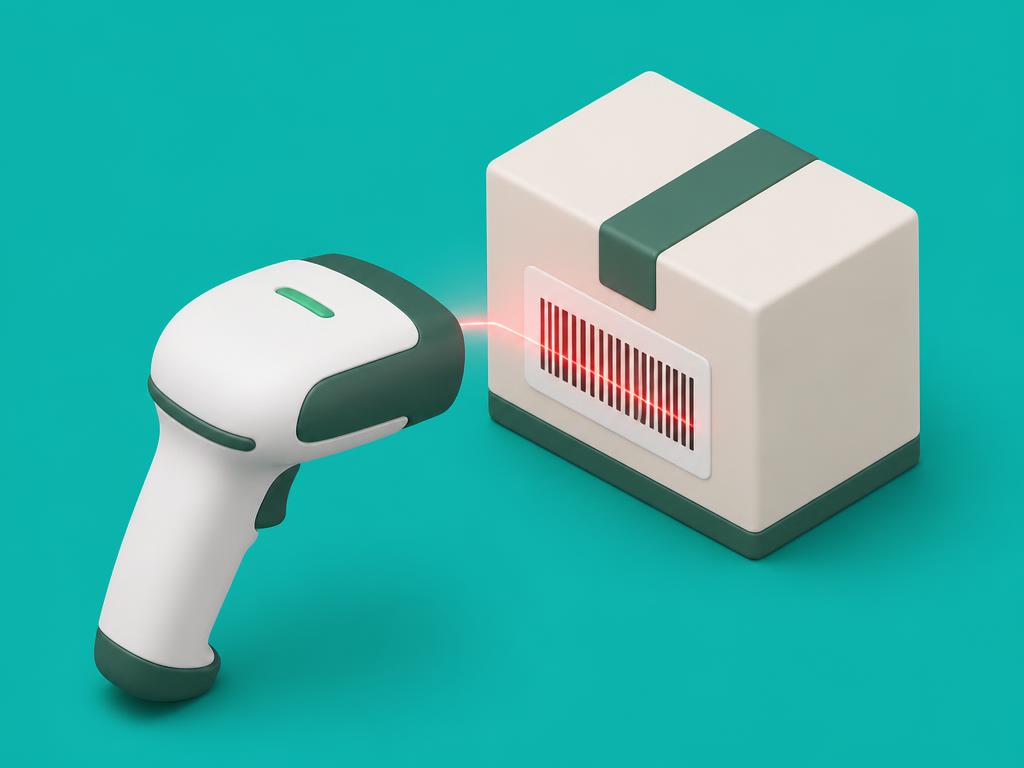
Items can be scanned straight from the POS terminal — no separate scanner needed.
Watch the videoExternal scanners
Connect a scanner over Bluetooth to the POS terminal or your phone. re:Kassa supports most modern 2D scanners with USB or Bluetooth connection.
Why entrepreneurs need NPC
NPC is not just about compliance — it also helps you manage sales better. When goods are sold with NPC codes, you get precise analytics for every item in your range, so decisions rest on data instead of guesswork.
See which products sell best
Track sales analytics for every item and quickly spot your top performers.
Make data-driven decisions
Know which goods to restock more often and which ones just take up shelf space.
Manage your product range
Analyse the structure of your sales and shape an assortment based on real customer demand.
Grow your profit
Focus on the products that bring in the most revenue and margin.
Keep stock under control
Plan purchases in advance and reduce the risk of running out of bestsellers or overstocking.
Analyse seasonality
Find out which products are in demand at different times of the year and prepare for seasonal peaks.
From 2026 NPC is not a recommendation but a requirement
Without integration a business will have to register every single item manually and risk downtime at the checkout during an inspection. re:Kassa handles this automatically — both for a small shop with a 20-item price list and for a chain with full inventory accounting.
- Zero manual work registering goods
- The receipt goes through even if the item is not in the catalog yet (XTIN)
- Works both in the app and on Halyk POS — no extra hardware
Ready to let NPC work by itself?
Set up re:Kassa in 5 minutes — free, with no cash register hardware. Works both in the app and on a Halyk POS terminal.